
Features
What you can do with Trailbook
Every feature below is in the app today, shown in a real screenshot. Logging, the runway, visa and tax-year days, places, the journal, follow along and the safety kit.
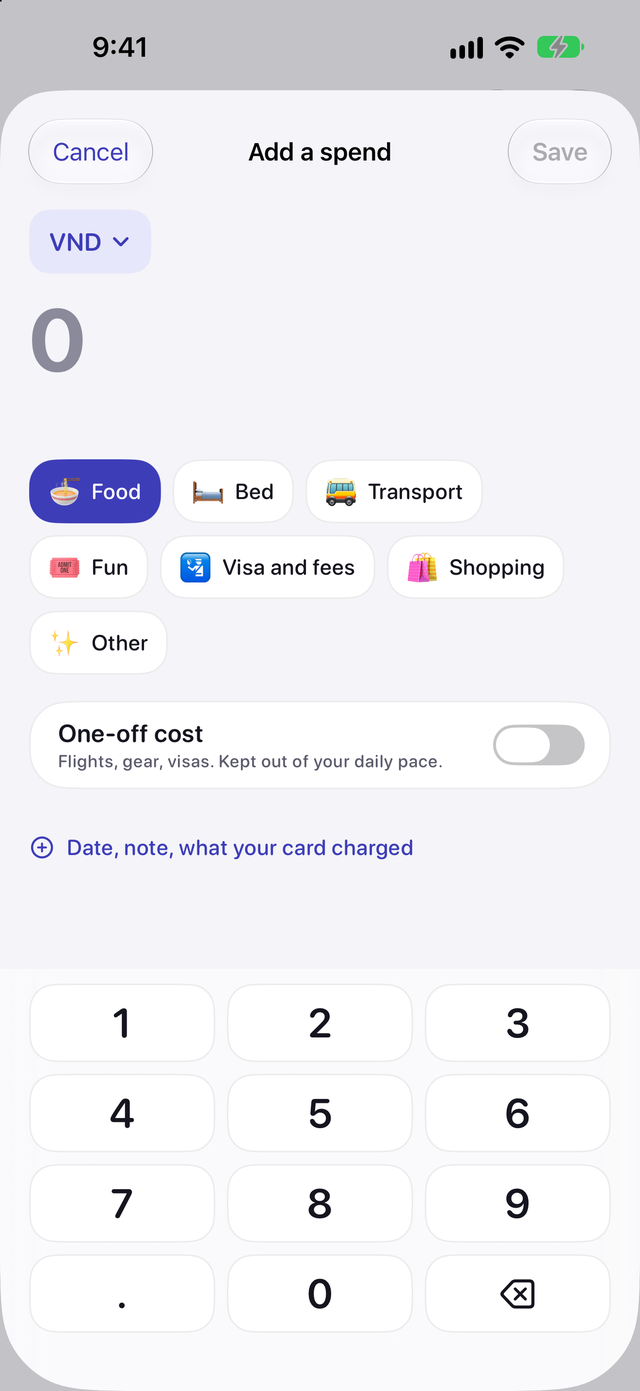
Add a spend in a few taps
A big keypad opens in the currency of the country you're in. It works with no signal, and a spend with no rate yet converts the next time you're online. With Plus, scan a receipt instead.
- Plus: scan a receipt, a bus ticket or an entry stamp and check the spend, stop or visa date before it's saved. Scans are read on your iPhone with Apple Intelligence
- Plus: fees and the real rate show what card and cash machine fees cost you over the trip
- Free: add a spend or check your money left with Siri, Control Center or the Action button
For iPhone and iPad. Works with iOS 26 and iPadOS 26 or later.
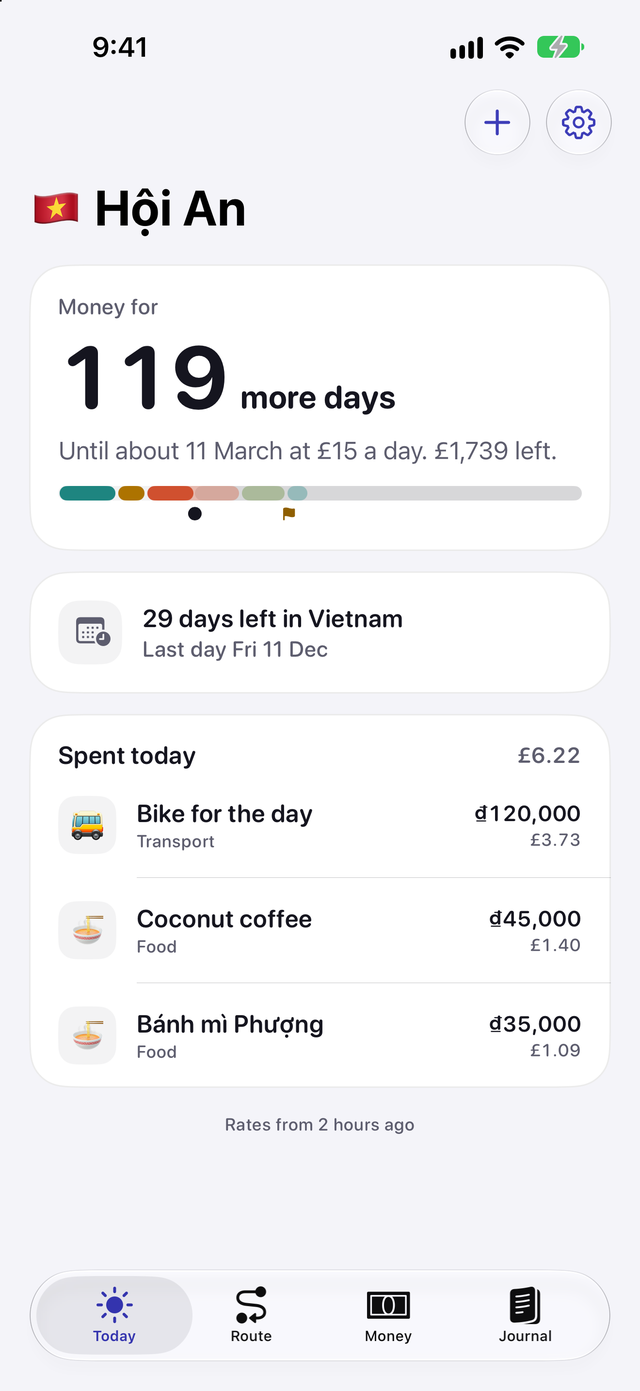
See how long your money lasts
The runway divides the money you have left by your real daily average. Mark flights, gear and visas as one-off costs so one big purchase doesn't make every day look more expensive. If you have a date to be home by, it shows what you can spend today instead.
- Plus: plan the next country. See how long your money would last at local prices before you choose where to go
- Estimates come from World Bank price levels, adjusted to how you actually spend
For iPhone and iPad. Works with iOS 26 and iPadOS 26 or later.
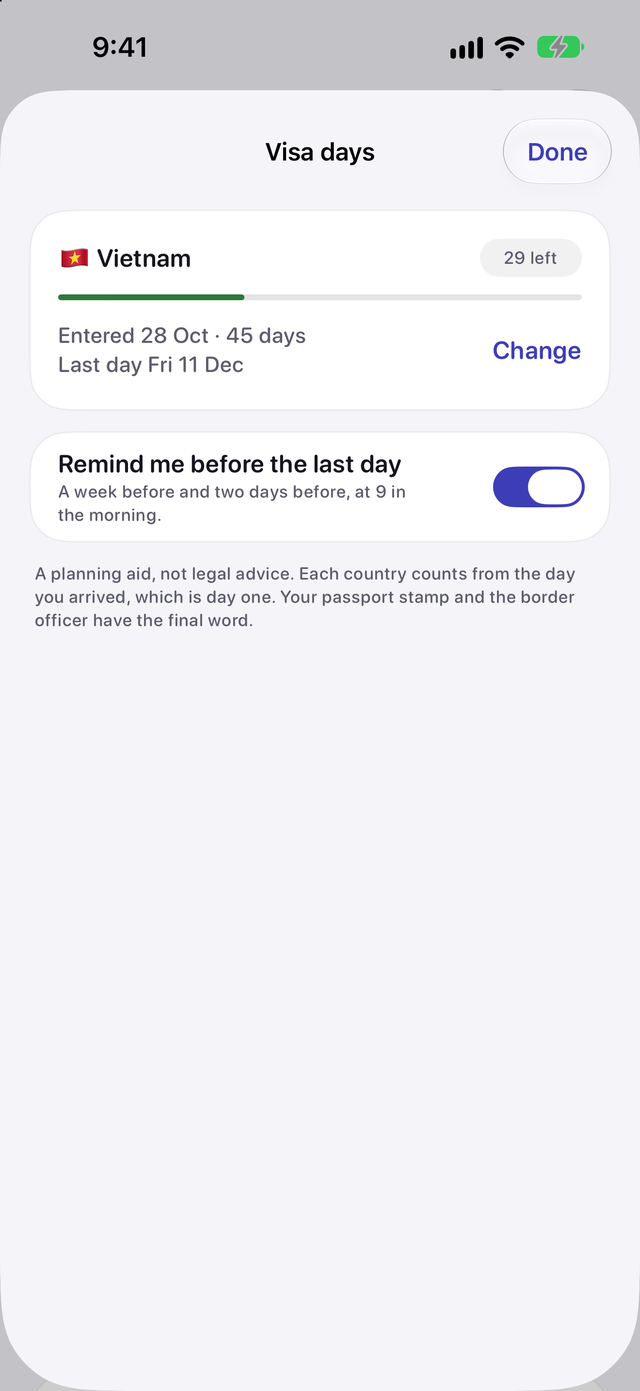
Count your visa and tax-year days
Trailbook counts the Schengen rule of 90 days in any 180 from the stops on your route and shows your last day. Elsewhere, tap how many days your stamp gives you. It also counts your days in each country this tax year. It's a planning aid, and border and tax officials have the final word.
- Free: a tax-year counter for every country, with UK, Australian and calendar-year rules
- Plus: a residency planner with alerts before you reach 183 days or a limit you set, and a check of whether a planned route fits
- Plus: a days report as a PDF or CSV, with entry and exit dates, for an accountant
For iPhone and iPad. Works with iOS 26 and iPadOS 26 or later.
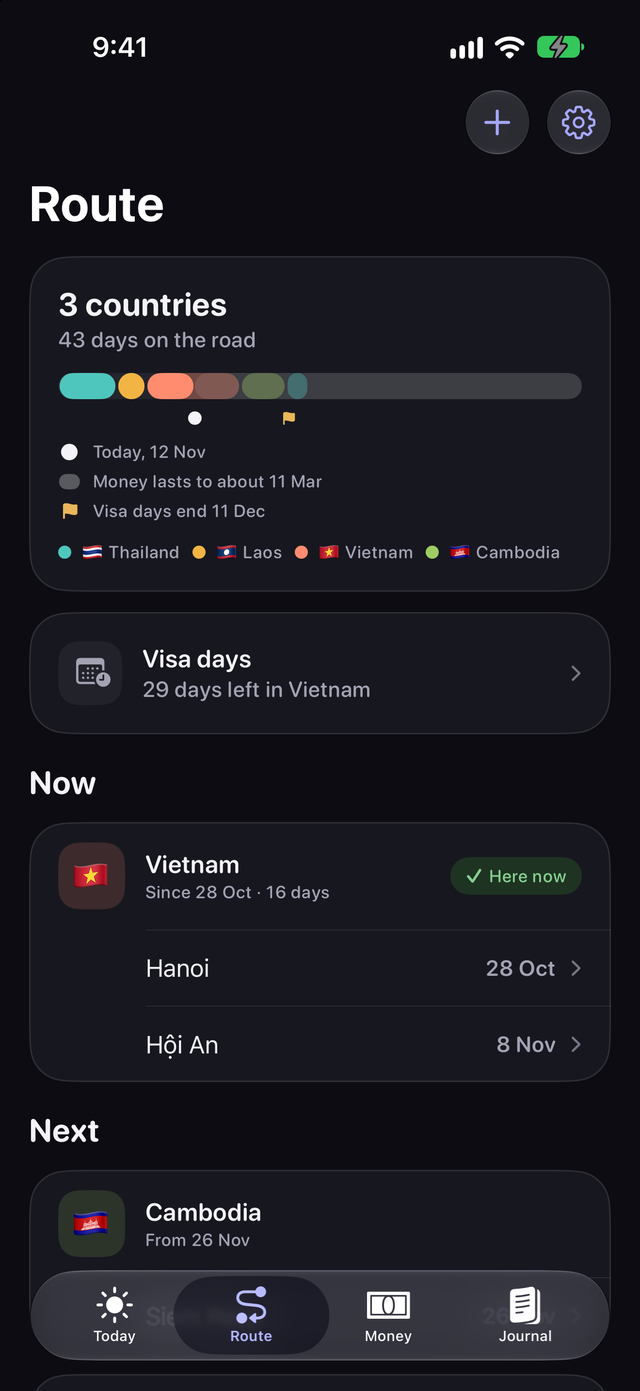
Your route, shared with the people you choose
The whole trip is drawn as a strip of countries, with today marked and the days ahead fading where the money runs out. Plan the next stop with a rough date. Share the trip through iCloud only with people you invite.
- Free: follow along. Family and friends see the cities you've reached, never your exact location
- Plus: a travel crew shares one trip book, splits spends and settles up. Joining a crew is free
- Plus: people I met. Add someone in person and see when your routes cross
- Free: a safety kit with emergency numbers that work offline, a check-in timer and a one-tap message with your plan
- Plus: iCloud sync between your iPhone and iPad
For iPhone and iPad. Works with iOS 26 and iPadOS 26 or later.
A journal and a map of everywhere you've been
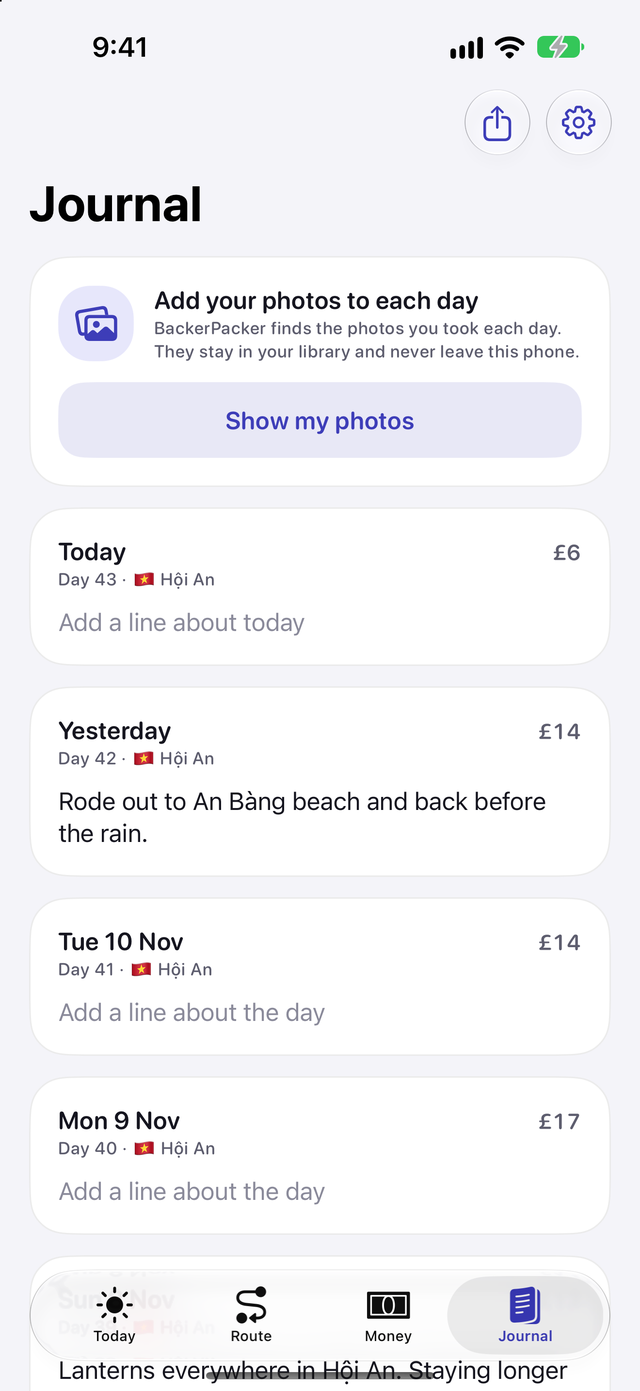
Every day of the trip shows where you were, what you spent and the photos you took, with room for a line of your own. Keep a list of places you've been and places you want to go.
- Free: save places with photos, notes and stars, bring in a Google Maps list and use Siri and Shortcuts for your places
- Plus: the explored map lifts each country out of the fog as you visit it, with a replay of your years
- Free: a year in review card to share
For iPhone and iPad. Works with iOS 26 and iPadOS 26 or later.
Share a trip card
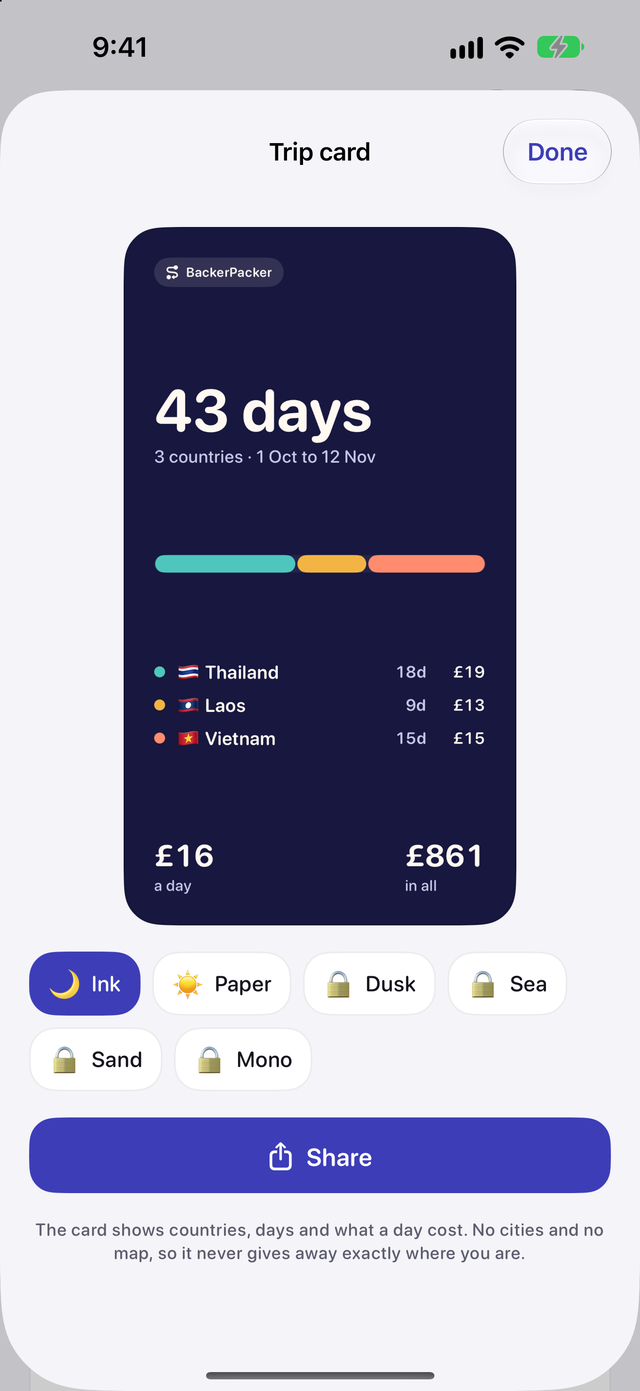
Turn the trip into one tall picture for Stories, with countries, days and what a day cost. It never shows a map or a city. Two designs are free, and Plus adds more.
- Plus: a trip film of 20 to 30 seconds, with a chapter for each country and your photos
- Plus: island card designs alongside the classic ones
- Free: a year in review card in two designs
For iPhone and iPad. Works with iOS 26 and iPadOS 26 or later.
Trailbook is coming soon to iPhone and iPad.
Log what you spend as you travel and see each morning how far your money goes.
Coming to the App Store
Logging, the runway, visa and tax-year days, places, the journal, follow along and the safety kit.
For iPhone and iPad. Works with iOS 26 and iPadOS 26 or later.